Your cursor.
Your campus.
Eight precision pointers in ULS colours — built for lectures, labs and 2 a.m. essays. Download the pack, right-click install, done.



Eight roles. One scheme.
Every pointer your cursor becomes, rebuilt in ULS colours.

The everyday pointer. White body, ULS-blue rim, readable on any background.
For links, buttons and every PDF you should not have opened at 1 a.m.
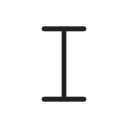
A precise I-beam for essays, code and lecture notes.
Crosshair for design work, spreadsheets and lab software.

The spinner you will see while the student portal loads.

Arrow plus spinner while apps think.

An info badge for when you need a hand.

The polite "not here" circle.
Live in 30 seconds.
Download & unzip
Extract the pack anywhere — Downloads is fine.
Right-click install.inf
Choose Install. The Windows prompt is normal — it copies the cursors into C:\Windows\Cursors.
Pick the scheme
Mouse settings → Pointers → ULS Cursor Pack → Apply.
# 1 — unpack
$ unzip ULS-Cursor-Pack.zip
# 2 — install the scheme
$ install.inf   # right-click → Install
# 3 — apply
$ settings mouse pointers
✓ ULS Cursor Pack active
Built for the long semester.
Made for long sessions
High-contrast edges stay readable at 1 a.m., on dark IDEs and bright lab screens.
Campus colours
ULS blue and green — not another generic pack from a random forum.
Zero overhead
Plain .cur files. No process, no battery drain, no effect on games.
Questions
Does it work on Windows 10 and 11?
Yes — both. The pack ships standard .cur files plus install.inf, so nothing else is required.
Will it slow down my PC or games?
No. Cursors are static images; nothing runs in the background.
How do I switch back?
Mouse settings → Pointers → choose Windows Default → Apply. The pack stays installed if you change your mind.
Why does Windows ask for administrator permission?
Cursor schemes live in C:\Windows\Cursors. The prompt is Windows copying the files there — standard for every cursor pack.
Is it really free?
Yes. Made for the ULS community — no account, no ads, no catch.
Make it yours.
One download. Thirty seconds. Yours all semester.